The challenge
Make the first interaction
easier to understand.
I explored barriers that might make digital games feel unfamiliar or overwhelming to an older first-time player. The project focused on the beginning of the experience: finding where to start, understanding an instruction, completing an action, and getting help.
How might a first-time player learn what to do without feeling rushed or afraid of making a mistake?
The work spans two linked Design Thinking assignments: Discover and Define, followed by Develop and Deliver. The outcome is a low-fidelity home, tutorial, and practice flow.
Discover
Explore comfort,
confidence, and clarity.
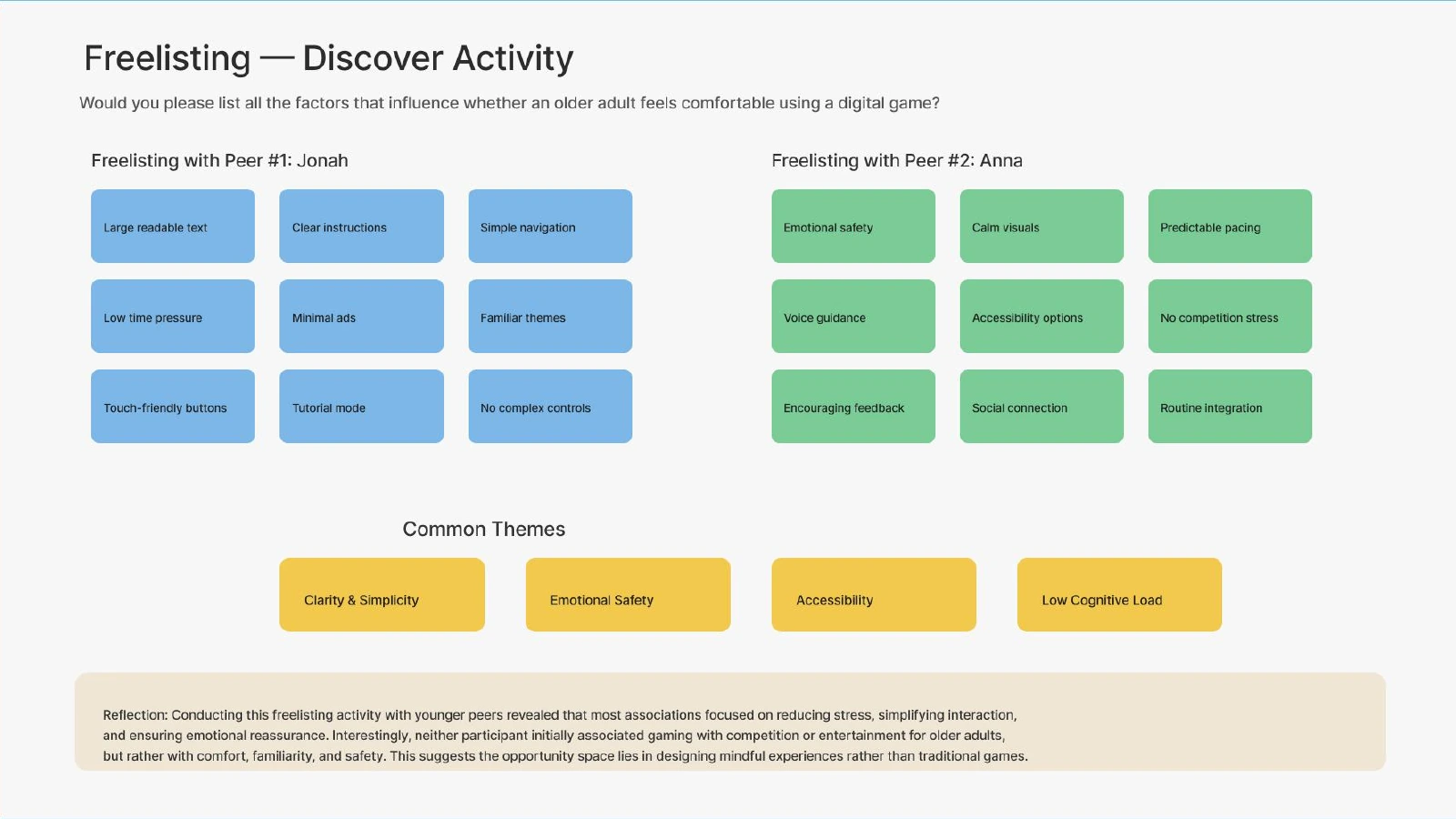
I used exploratory persona profiles and empathy maps to consider different motivations and concerns, including independence, unfamiliar interfaces, challenge, and fear of mistakes. A freelisting exercise with two younger classmates added possible factors affecting comfort with digital games.
Research scope
The freelisting participants were younger peers. The persona profiles and resulting themes were exploratory inputs; direct research with older adults remains necessary to check these assumptions.
Define
Focus on the experience
of getting started.
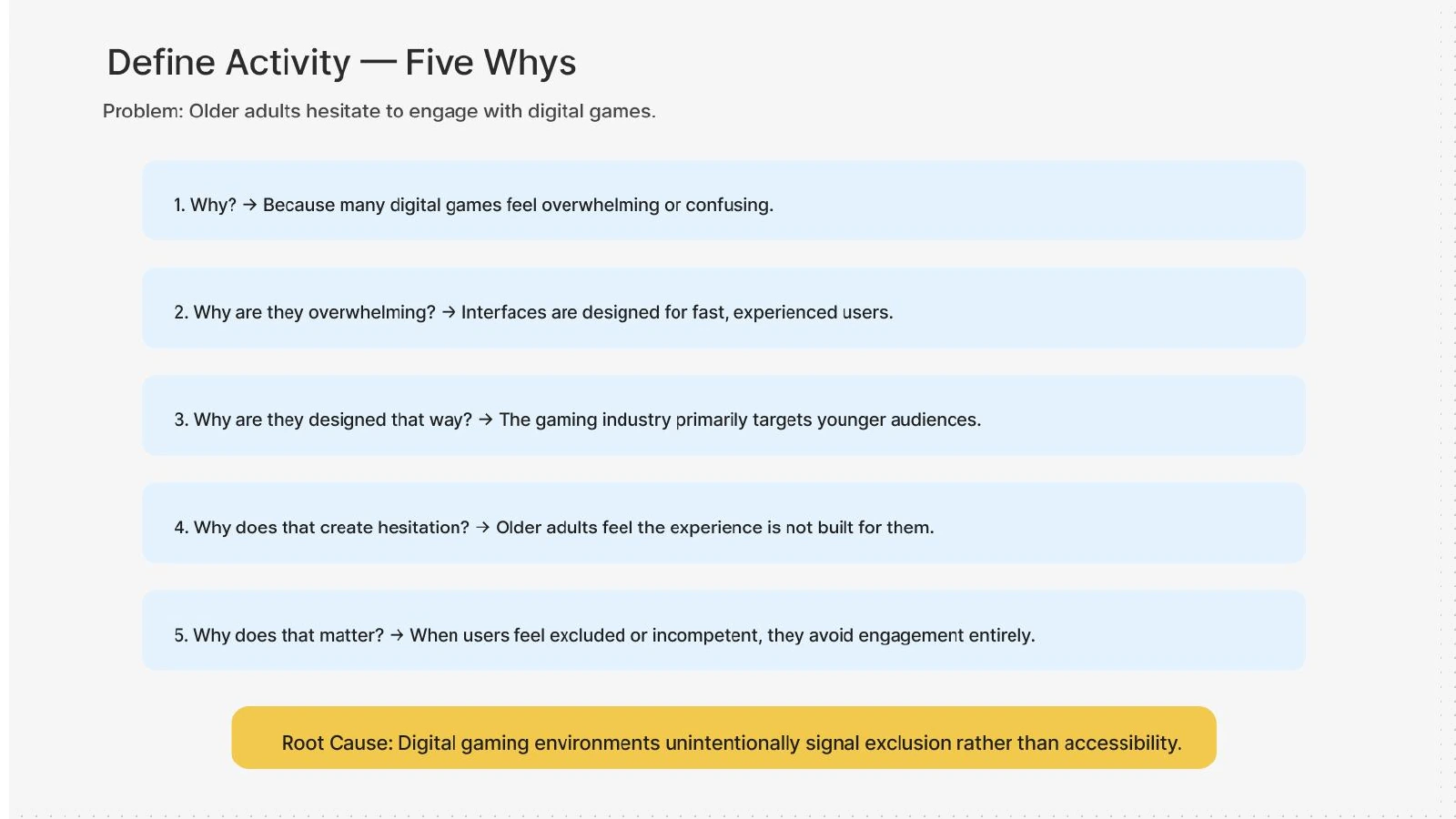
Rapid user profiles, Five Whys, and How Might We questions helped me move from a broad topic about older adults and games toward a more specific design direction: approachable onboarding with support visible throughout the first task.
Understand the next action
Use a clear starting point and short instructions so the player can recognise what to do next.
Keep support available
Provide ways to repeat guidance or ask for help without leaving the task.
Reduce first-use pressure
Introduce a practice interaction and let the player move through it at their own pace.
View the original Five Whys exercise
Develop
Explore several ways
to offer reassurance.
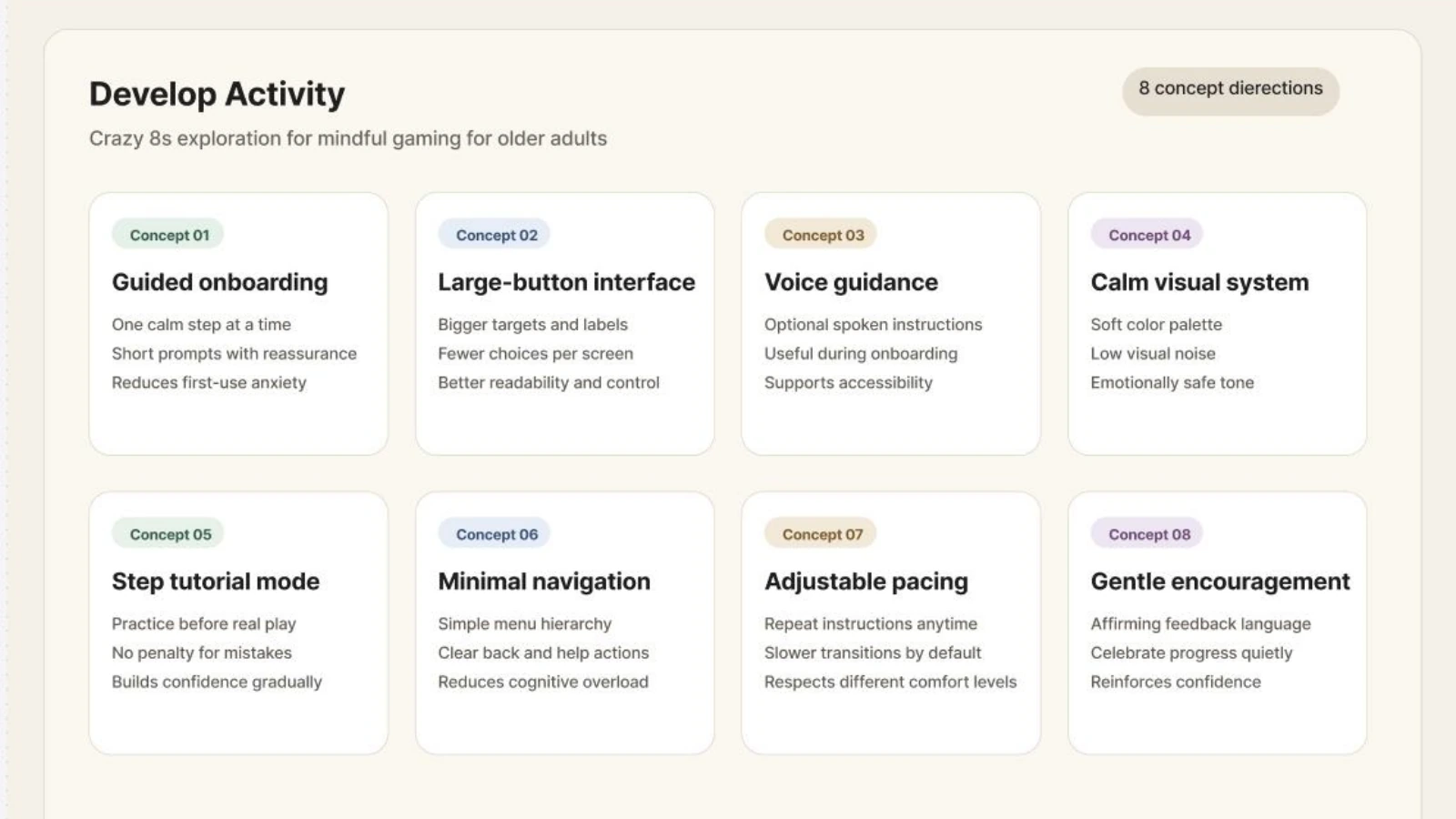
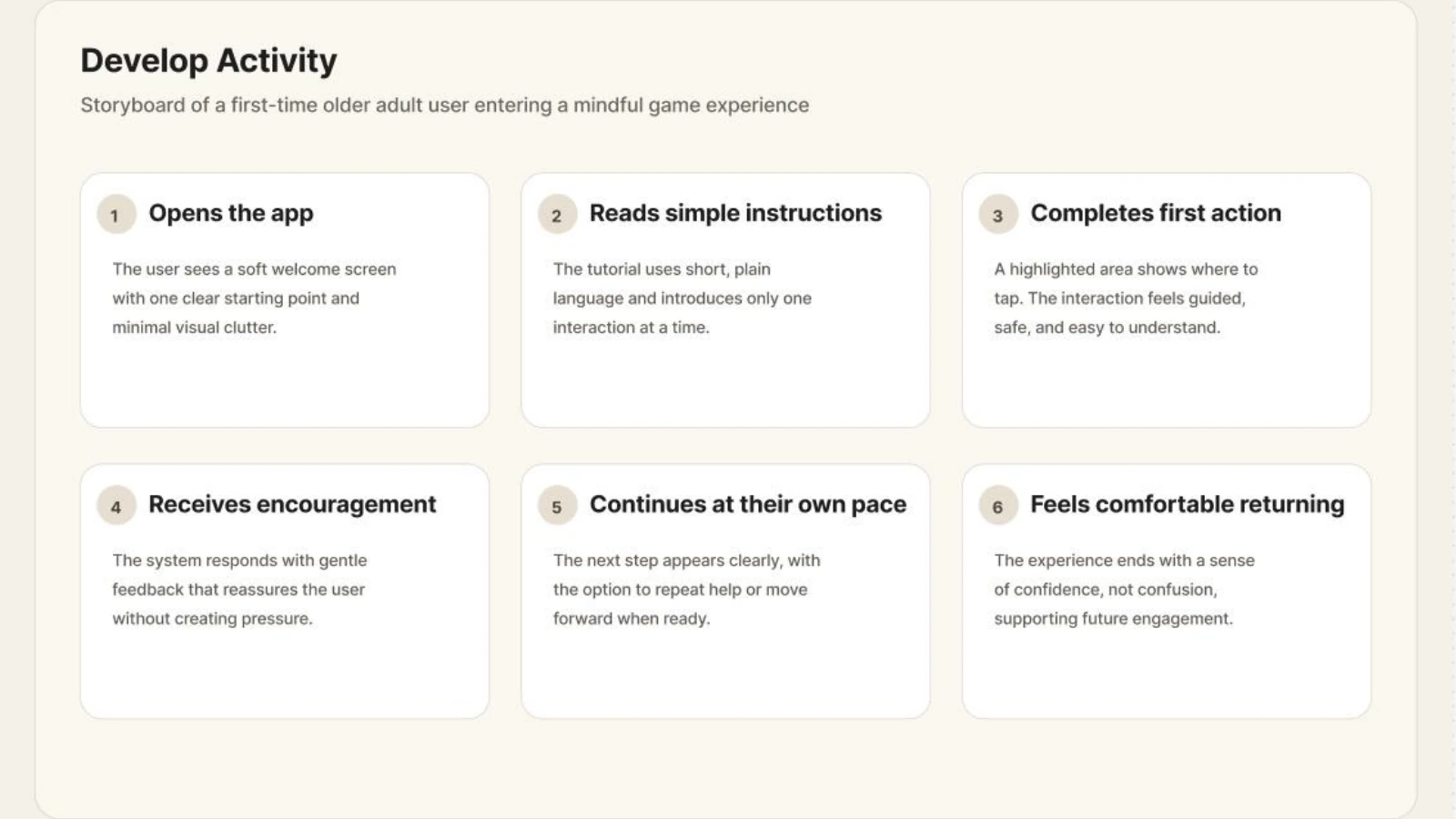
I explored eight concept directions, including guided onboarding, larger actions, voice guidance, calmer visuals, a tutorial, minimal navigation, adjustable pacing, and encouraging feedback. The low-fidelity flow brings together a clear entry point, a short tutorial, and a supported practice task.
View the eight concept directions
Low-fidelity prototype
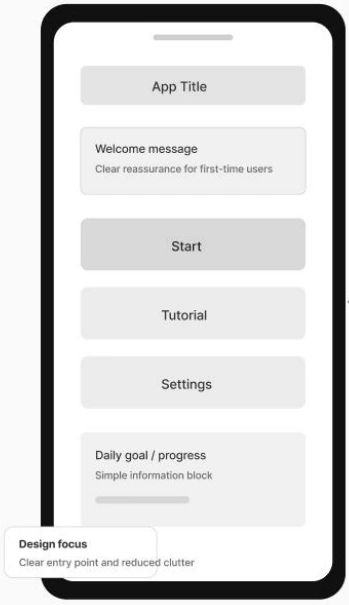
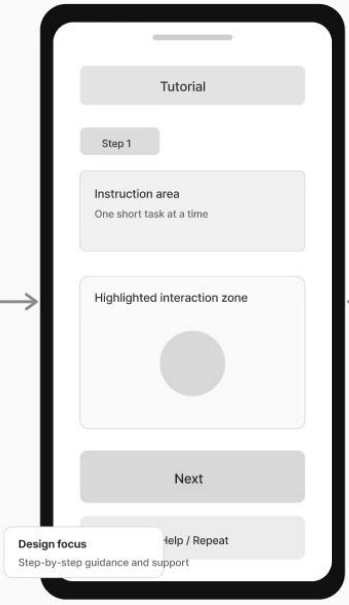
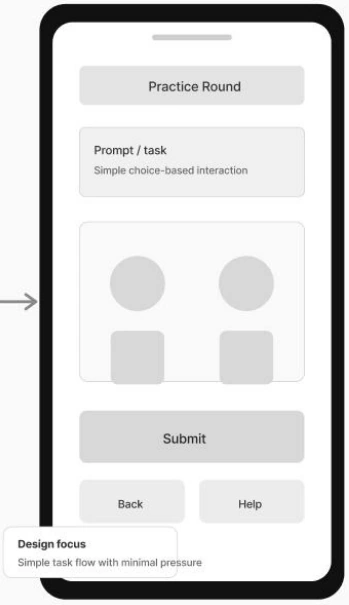
Home. Tutorial. Practice.
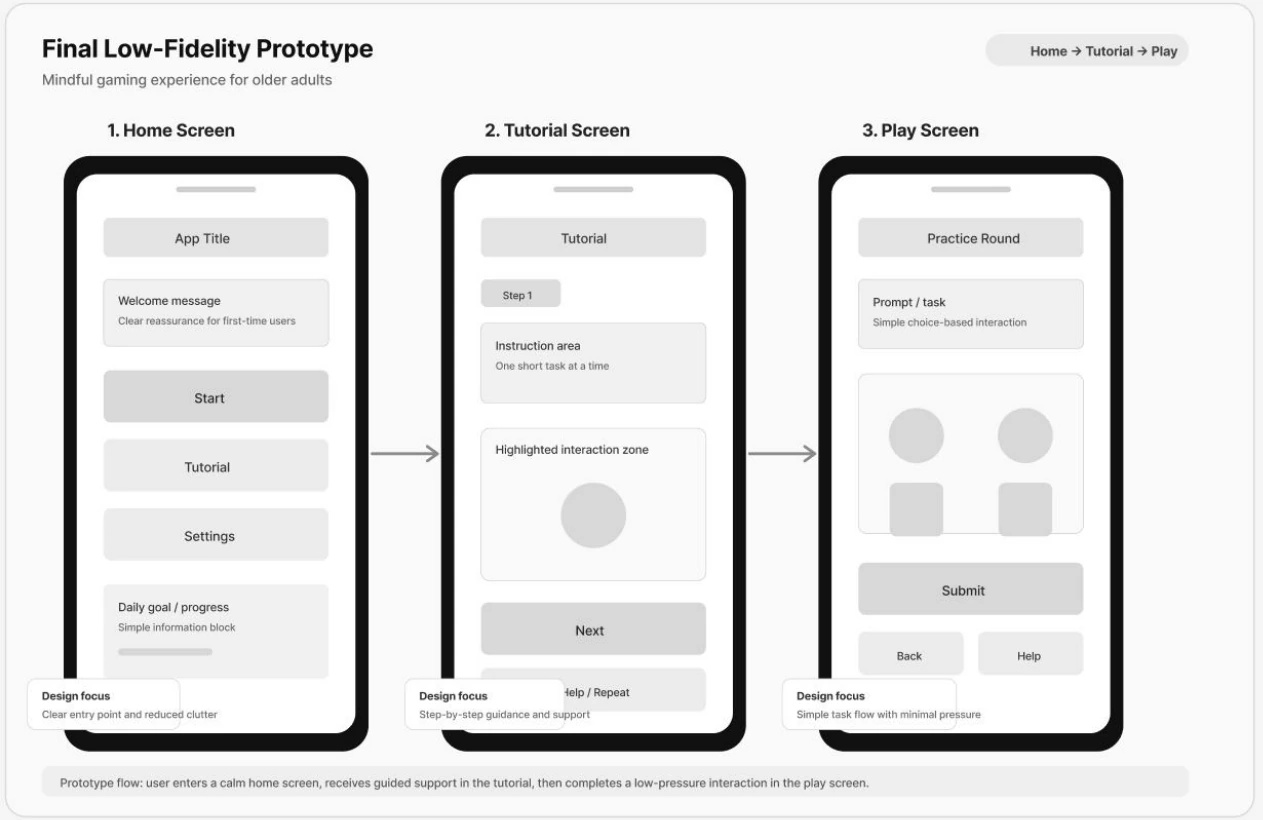
I kept the screens deliberately simple so I could focus on the order of actions, the amount of instruction, and the placement of support. The prototype shows the structure of the experience before detailed visual styling or a complete game is developed.
Home
Make Start and Tutorial easy to find, with secondary settings and a compact progress area.
Tutorial
Show one instruction and a highlighted interaction area, with a clear Next action and repeat support.
Practice
Use a simple choice-based task with Submit, Back, and Help visible together.
Early evaluation and refinement
Turn concerns into
specific interface changes.
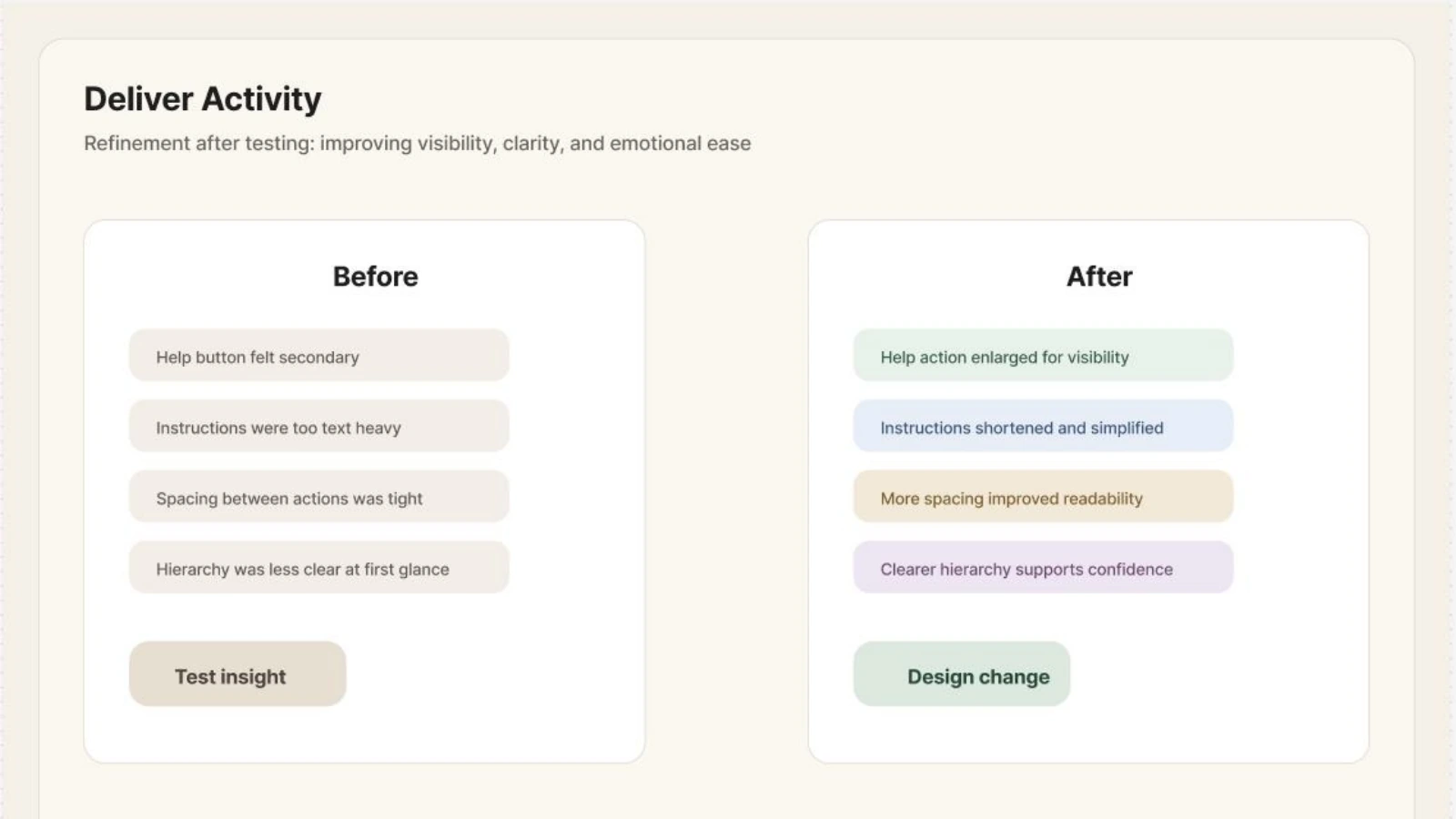
The coursework includes an evaluation plan covering four tasks: open the home screen, start the tutorial, complete the first action, and locate help. The refinement summary records changes to help visibility, instructions, spacing, and hierarchy.
| Concern recorded | Refinement documented |
|---|---|
| Help felt secondary. | Enlarge the help action and improve its visibility. |
| Instructions were too text-heavy. | Shorten and simplify the instruction text. |
| Actions were tightly spaced. | Increase spacing between actions. |
| The hierarchy was unclear at first glance. | Make the next action easier to distinguish. |
This was early evaluation without access to the intended older-adult audience. These refinements provide a direction for further testing; they do not establish an accessibility or usability outcome for that audience.
View the original refinement summary
Reflection
Check the assumptions
with the people who matter.
The project helped me connect a broad accessibility topic to a specific first-use journey. It also made the limit of peer input clear: ideas about older adults need to be checked with older adults, whose gaming experience, preferences, and access needs will vary.
My next step would be to observe older participants starting the tutorial, completing the practice task, and finding help. I would record where support is needed and compare revised screens before expanding the concept.